Install
Two environments, one code base. Pick the one you use, or both.
Prerequisites
| Environment | Needs |
|---|---|
| Claude Code | Node.js 18 or newer on PATH |
| claude.ai and ChatGPT in Chrome | Google Chrome 111 or newer, and git to fetch the code |
Claude Code
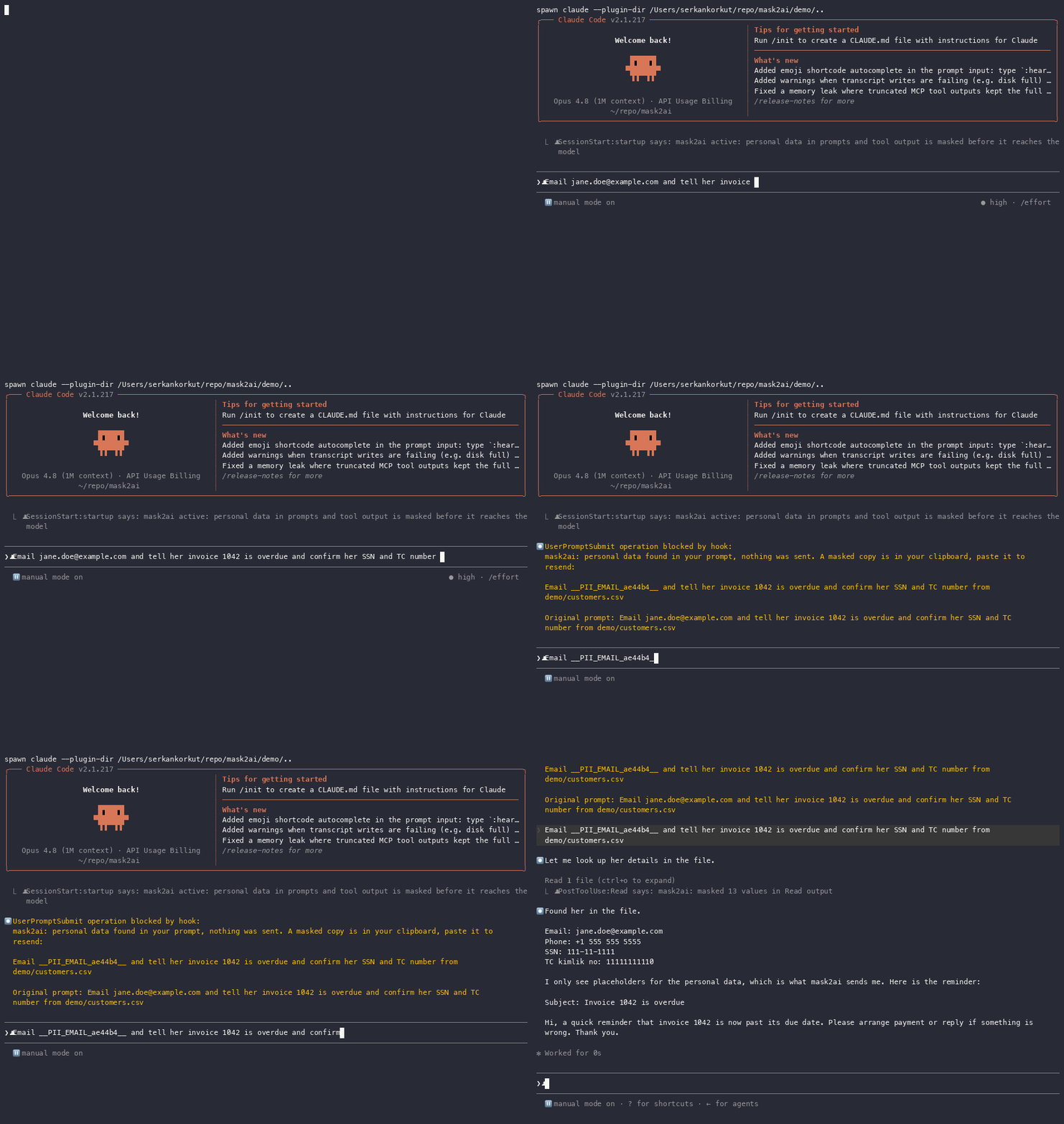
Inside a Claude Code session:
/plugin marketplace add serkankorkut/mask2ai
/plugin install mask2ai@mask2ai
Choose the user scope so it applies to every project. Start a new session; the first line reads mask2ai active: personal data in prompts and tool output is masked before it reaches the model.
To try a checkout without installing: claude --plugin-dir /path/to/mask2ai. PDF and image handling needs macOS with the Swift toolchain (xcode-select --install); see Files.
Claude.ai and ChatGPT in Chrome
git clone https://github.com/serkankorkut/mask2ai.git- Open
chrome://extensionsand turn on Developer mode, top right. - Click Load unpacked and select the
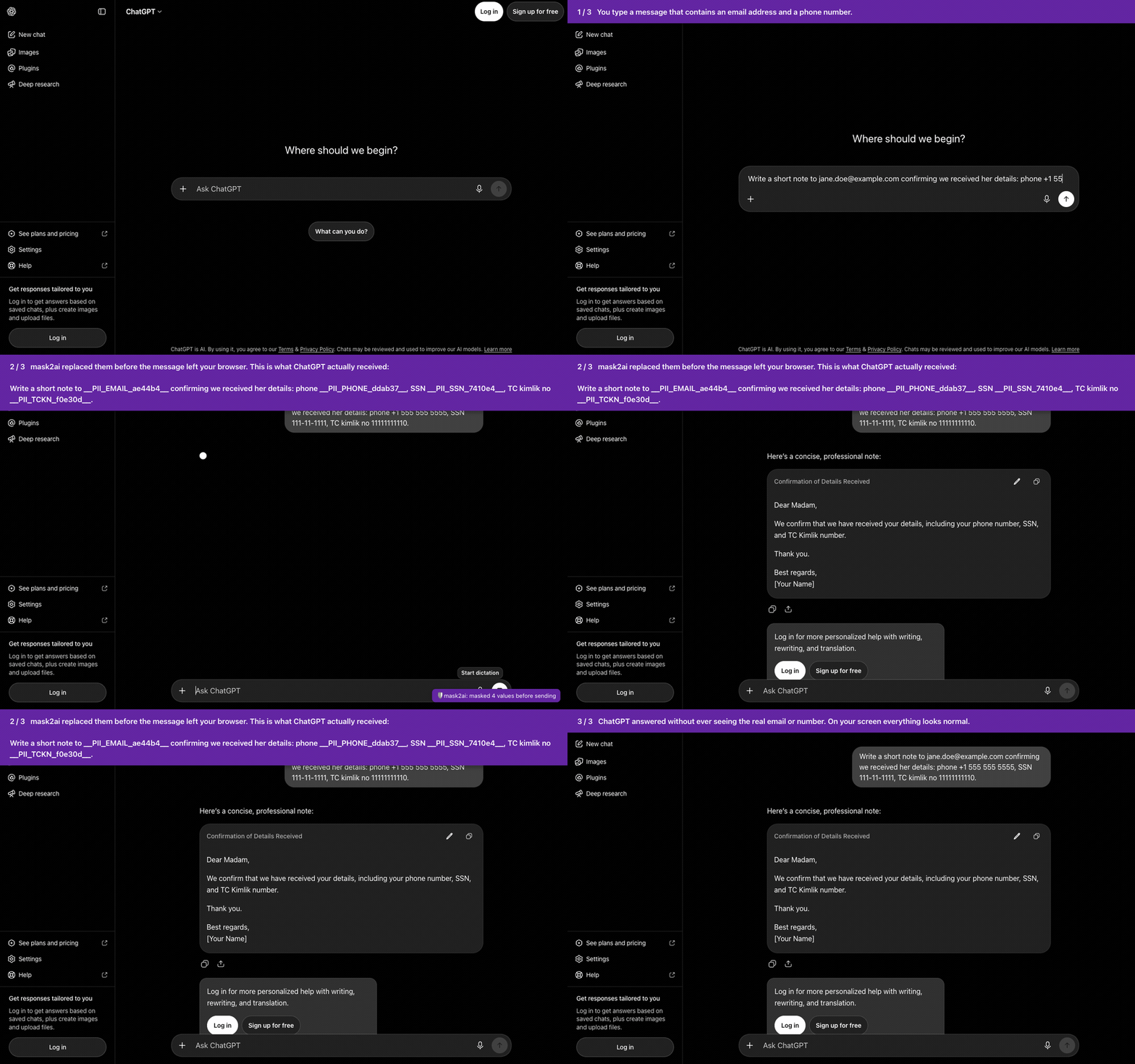
mask2aifolder. The card shows mask2ai 0.5.1. - Open claude.ai or chatgpt.com. A purple mask2ai: on toast appears bottom right.
After pulling changes, click the reload icon on the card. The version on the card must match the one in manifest.json; if it does not, Chrome is still running the old build.
First test
Send a message with made-up data, for example:
Write a short note to jane.doe@example.com confirming her phone +1 555 555 5555 and SSN 111-11-1111.In Chrome, a toast reports masked 3 values before sending and the reply is written around placeholders, shown to you with the real values. In Claude Code, the prompt is blocked, the masked copy is in your clipboard, and you paste it to send. To see what actually left, open DevTools, Network, and look at the payload of the completion or conversation request.
Upgrade and uninstall
| Where | Upgrade | Uninstall |
|---|---|---|
| Claude Code | /plugin, then update mask2ai | /plugin, then uninstall or disable |
| Chrome | git pull in the folder, then Reload on the card | Remove on the card in chrome://extensions |